mirror of
https://github.com/penpot/penpot.git
synced 2026-11-07 10:30:40 +00:00
 a76401596e
* ⚡ Skip drop shadows that are imperceptible at current scale

Filter drop shadows by on-screen footprint (stricter for recursive
shapes) so overview HQ avoids expensive blur passes that barely show.

* ⚡ Simplify Path and Bool strokes at low scale

At overview zooms, Inner/Outer strokes fall back to Center and
dash/dotted styles become solid when the pattern is subpixel.
Strokes are never skipped so stroke-only icons stay visible.

* ⚡ Drain GPU work on partial render frames

Partial frames only flushed the Backbuffer, so tile GPU commands
queued until present_frame's flush_and_submit and stalled the
browser on large files. Submit the context each partial frame
without presenting Target or re-composing the tile atlas.

* ⚡ Prefer direct painting when effects are imperceptible

Skip the Fills/Strokes layered path when drop/inner shadows would
not paint at the current scale, and allow stroke-only shapes
(fills_none) on the direct path. Apply the same footprint LOD to
inner-shadow painting.
Penpot WASM render
This is the canvas-based WebAssembly render engine for Penpot.
Rust & Emscripten
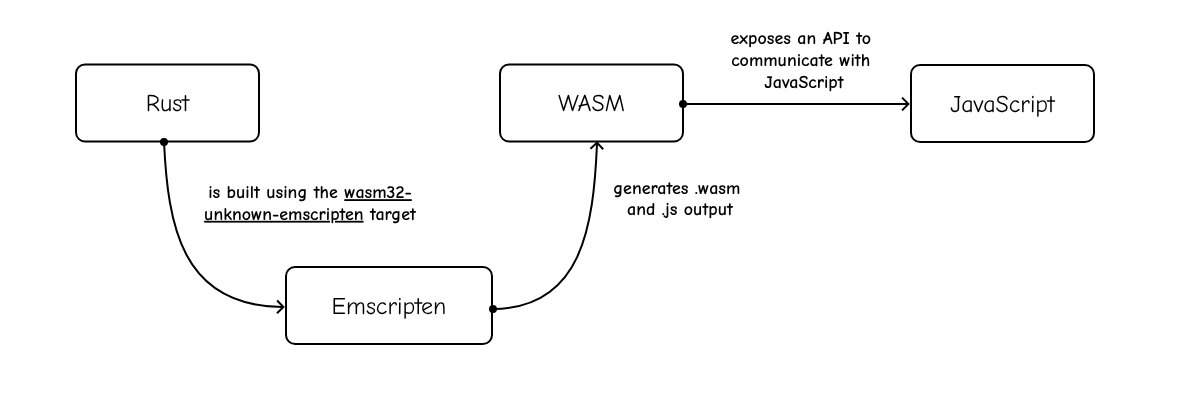
This project is a Rust crate that targets Emscripten (wasm32-unknown-emscripten).
We use wasm32-unknown-emscripten compilation target:
- It compiles Rust code into WASM
- It generates the JavaScript code (“glue”) to load and run the WASM code
Skia
We use Skia, an Open Source 2D graphics library. In particular, the render engine uses Skia via custom binaries of the rust-skia crate.
How to build
With the Penpot Development Environment running, create a new tab in the tmux.
cd penpot/render-wasm
./build
You can also use ./watch to run the build on every change.
The build script will compile the project and copy the .js and .wasm files to their correct location within the frontend app.

Edit your local frontend/resources/public/js/config.js to add the following flags:
enable-feature-render-wasmto enable this render engine.enable-render-wasm-dpr(optional), to enable using the device pixel ratio.
How to test
We currently have two types of tests:
- Unit tests
cd penpot/render-wasm
./test