mirror of
https://github.com/penpot/penpot.git
synced 2026-11-04 00:50:44 +00:00
 5c474939ac
Set storeDir in every pnpm-workspace.yaml: `.pnpm-store` at the repo
root and `../.pnpm-store` in the ten module workspaces, so all of them
resolve to <repo>/.pnpm-store. pnpm resolves the value against the
workspace root, and nested workspaces do not inherit settings, which
had left the root workspace and the modules on two different stores.

Add scripts/clean-node-modules: removes every workspace node_modules
in one pass (ignores external/ and .opencode/), keeps the shared store
unless --store removes it too.

Verified: every workspace resolves the same store path; reinstalls
after a full clean reuse the cache with zero downloads;
frozen-lockfile installs pass in all 11 workspaces with no lockfile
changes; the frontend storybook suite stays green.

AI-assisted-by: omen-alpha
Penpot WASM render
This is the canvas-based WebAssembly render engine for Penpot.
Rust & Emscripten
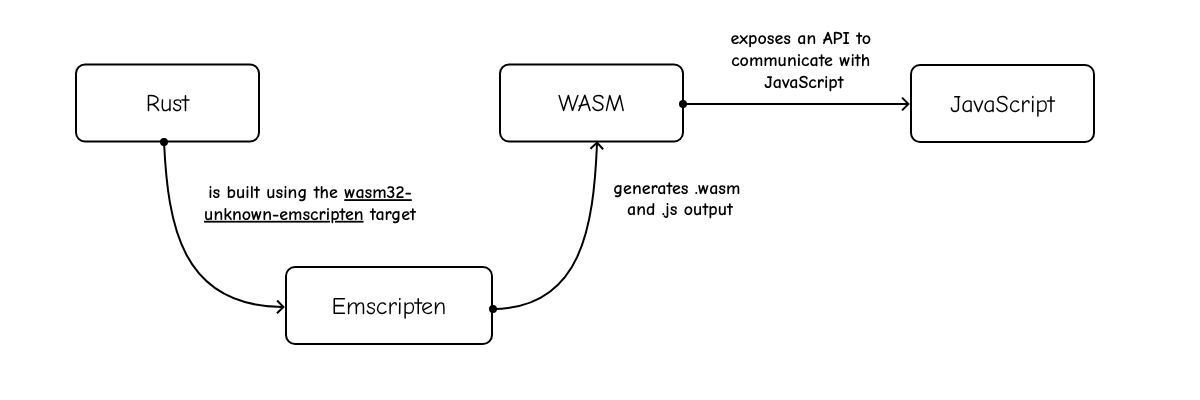
This project is a Rust crate that targets Emscripten (wasm32-unknown-emscripten).
We use wasm32-unknown-emscripten compilation target:
- It compiles Rust code into WASM
- It generates the JavaScript code (“glue”) to load and run the WASM code
Skia
We use Skia, an Open Source 2D graphics library. In particular, the render engine uses Skia via custom binaries of the rust-skia crate.
How to build
With the Penpot Development Environment running, create a new tab in the tmux.
cd penpot/render-wasm
./build
You can also use ./watch to run the build on every change.
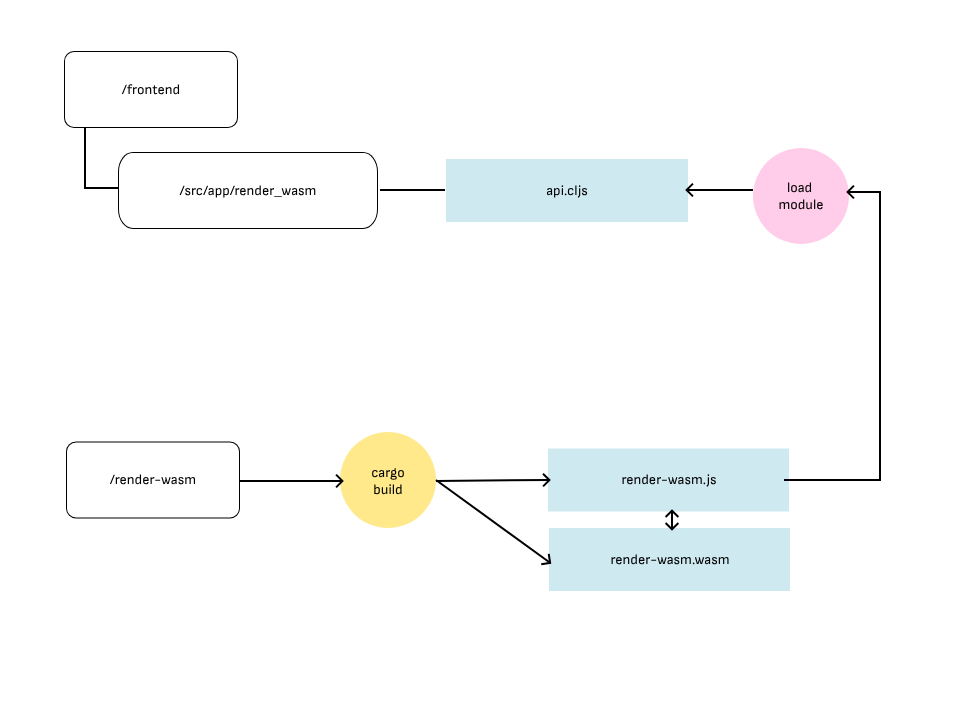
The build script will compile the project and copy the .js and .wasm files to their correct location within the frontend app.
Edit your local frontend/resources/public/js/config.js to add the following flags:
enable-feature-render-wasmto enable this render engine.enable-render-wasm-dpr(optional), to enable using the device pixel ratio.
How to test
We currently have two types of tests:
- Unit tests
cd penpot/render-wasm
./test