mirror of
https://github.com/alibaba/lowcode-engine.git
synced 2026-03-18 19:53:52 +00:00

166 lines
6.6 KiB
Markdown
166 lines
6.6 KiB
Markdown
---
|
||
title: 7. 源码面板详解
|
||
sidebar_position: 3
|
||
---
|
||
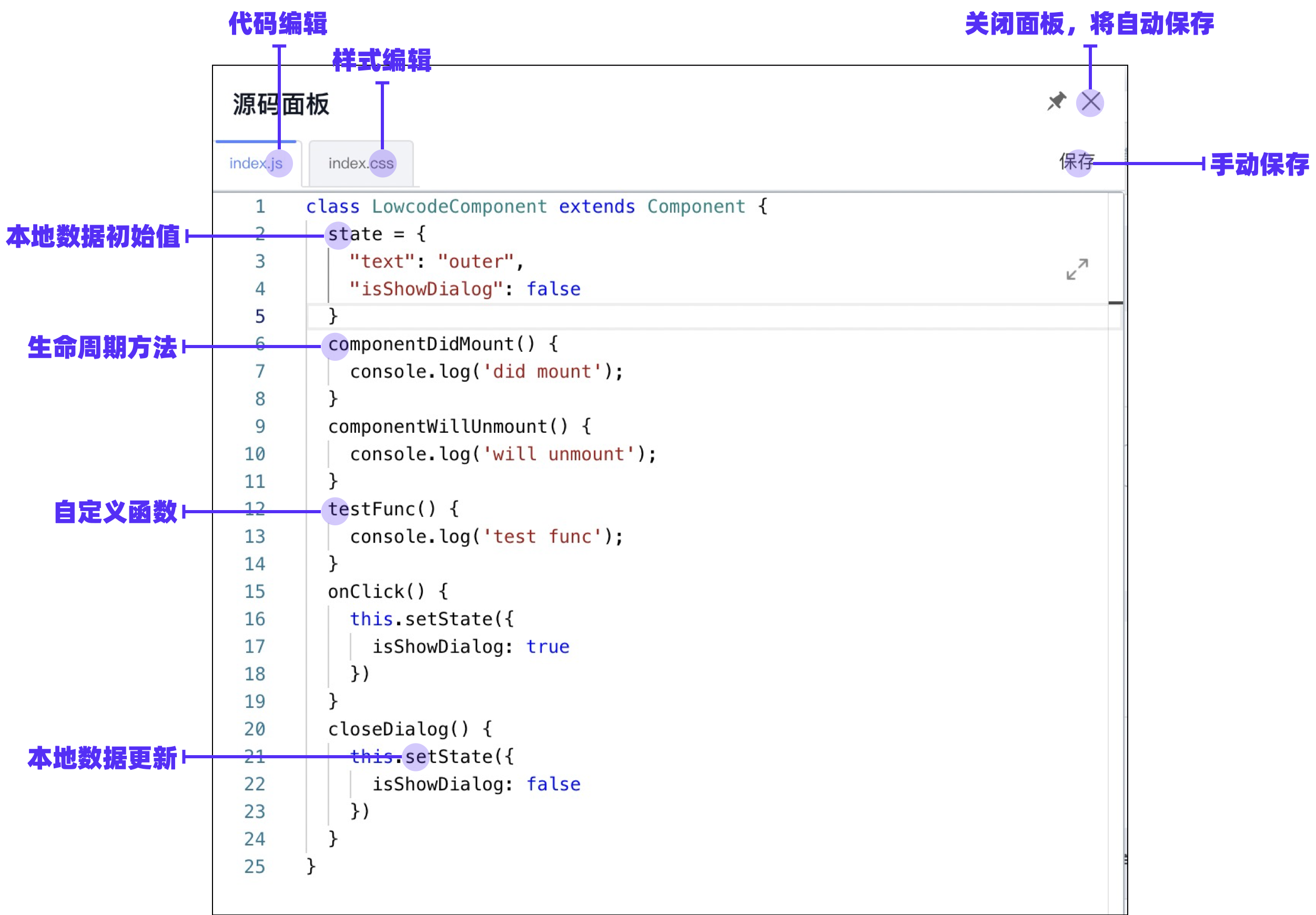
在源码面板中,您可以完成低代码中的代码部分编写。
|
||
|
||
## 面板功能拆解
|
||
|
||
|
||
|
||
### 代码编辑面板
|
||
|
||
代码编辑面板允许您书写 JavaScript 代码,并支持 JSX 语法。
|
||
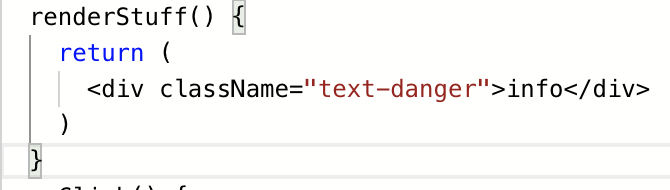
由于依赖了 Babel,所以书写的 JSX 和 Chrome 80+ 以后的新语法也会被自动编译:
|
||
|
||
| 编译前 | 编译后 |
|
||
| --- | --- |
|
||
|  |  |
|
||
|  |  |
|
||
|
||
|
||
> 注:因为编译结果会被 `@babel/runtime` 干扰,目前面板不支持 `async await`或 `{ ...arr }` 形态的语法编译。如果您需要此类编译,您可以考虑在读取 schema 中的 `originCode` 之后自己手动通过 babel 编译。
|
||
|
||
|
||
#### 全局变量引用
|
||
|
||
在代码中,您可以通过 window 来引用全局变量。资产包中的 packages 都是通过 UMD 方式引入的对应内容,如果您引入了 Fusion Next(Demo 中默认引入),那么可以通过此方法直接唤起 Fusion Next 的内容,如弹窗提示:
|
||
```typescript
|
||
window.Next.Message.success('成功')
|
||
```
|
||

|
||
|
||
#### 局部变量引用
|
||
|
||
您可以在成员函数中访问到如下变量:
|
||
|
||
- `this.state`
|
||
- `this.setState`
|
||
- `this.context.appHelper.utils`
|
||
- `this.context.appHelper.constants`
|
||
- `this.context.appHelper.requestHandlerMap`
|
||
- `this.context.components`
|
||
|
||
#### 读、写与异常处理
|
||
|
||
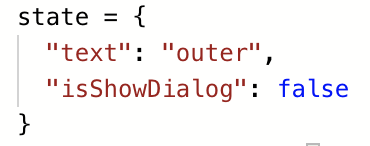
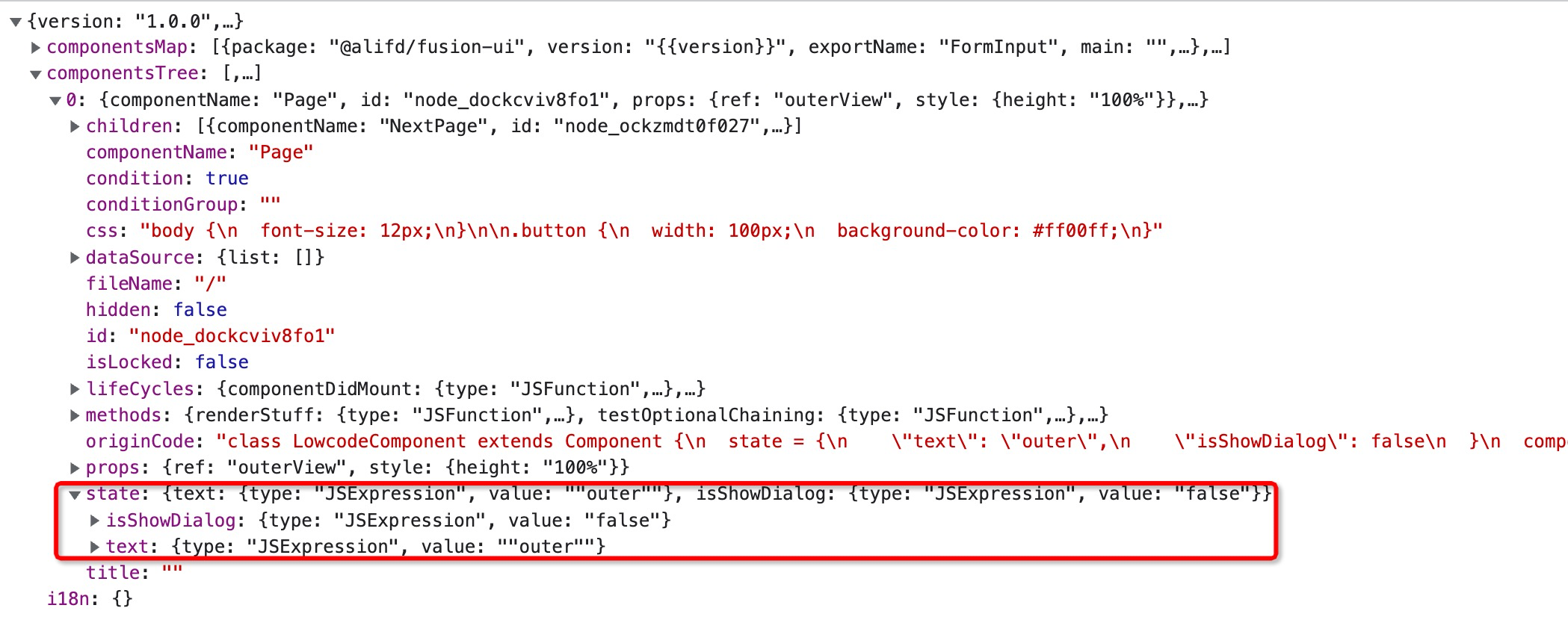
- 读取:每次打开面板时,都会尝试读取 schema 中的 originCode 字段,如果没有,则从 schema 上的字段还原代码;
|
||
- 写入:在关闭代码编辑面板(主动点击叉或者点击非代码编辑区块的被动关闭都算)时,将自动写入到 schema 中;您也可以在编辑过程中点击“保存”按钮手动保存;
|
||
| 源码面板中 | schema 中 |
|
||
| --- | --- |
|
||
| 本地数据初始值设置:
|
||
 |  |
|
||
| 生命周期方法:
|
||
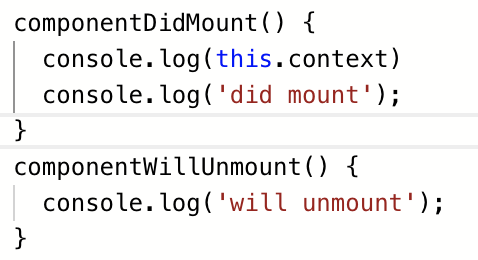 | 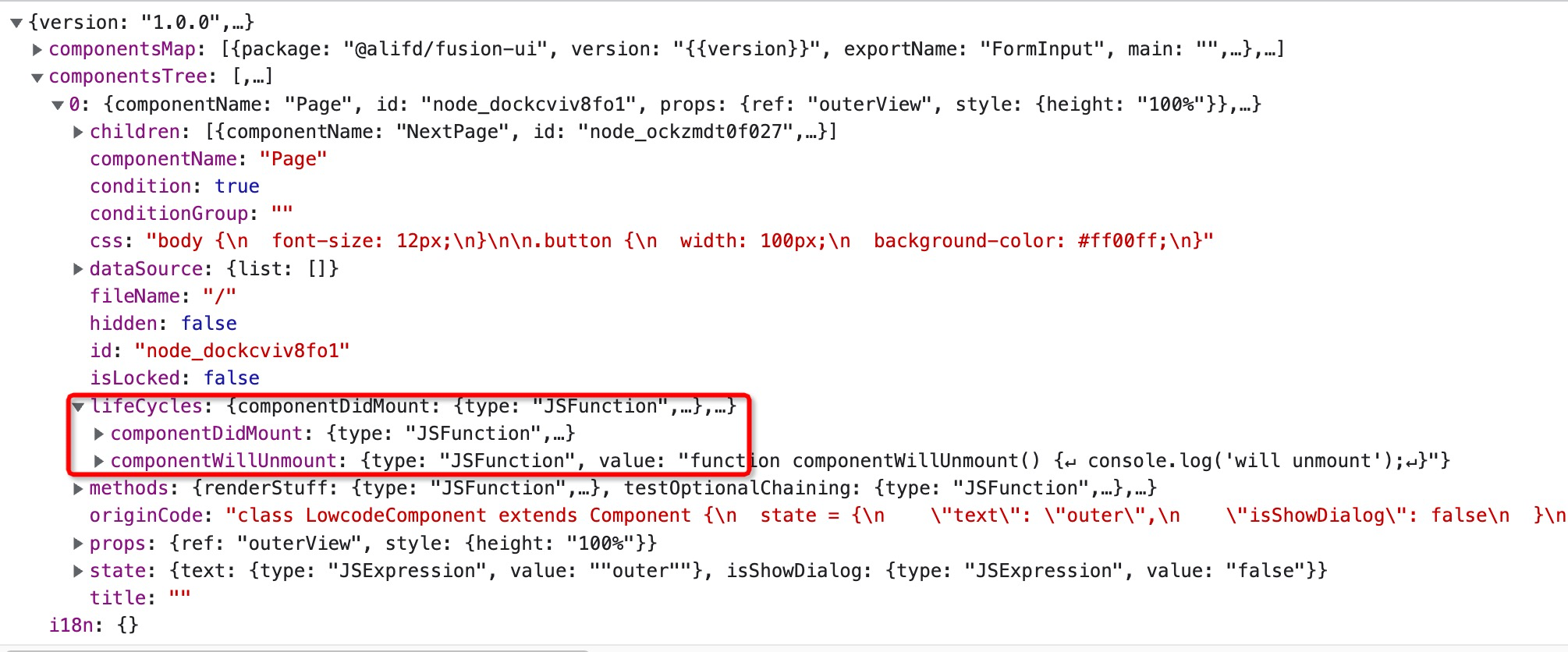 |
|
||
| 自定义函数:
|
||
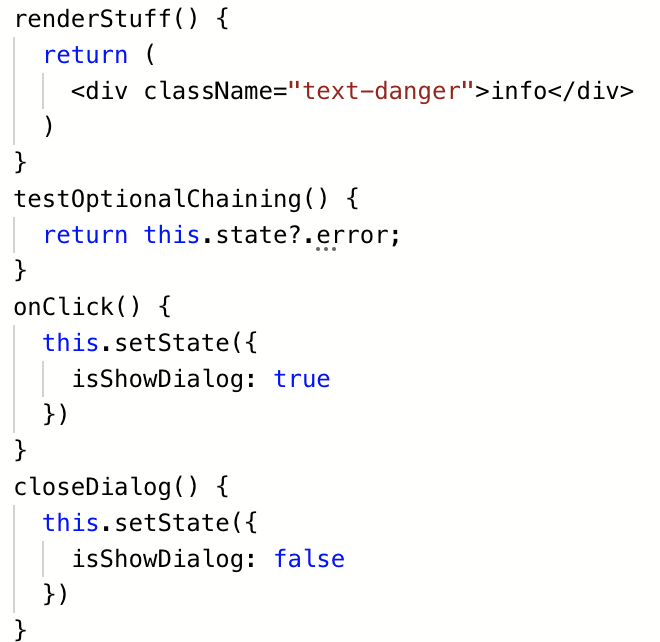 |  |
|
||
| 编译前全量代码:
|
||
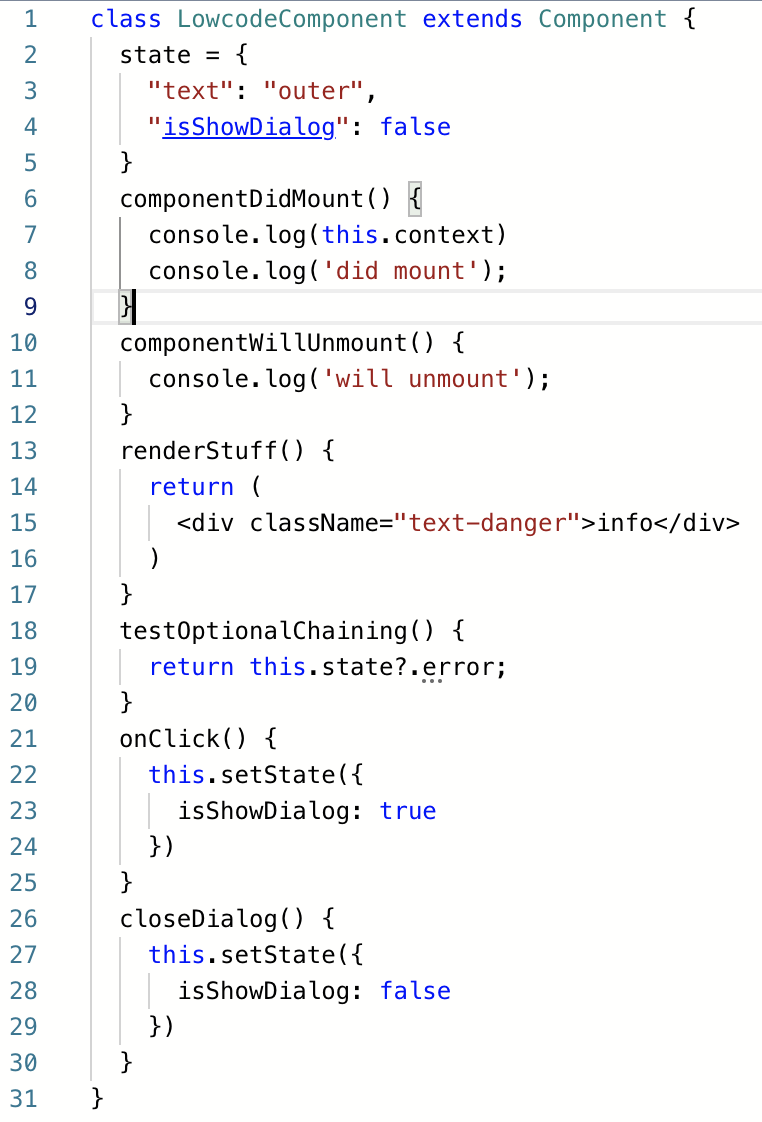 |  |
|
||
|
||
|
||
- 异常处理:如果代码解析失败,它将无法被正常保存到 schema 中,此时编辑器会弹层提示:
|
||
|
||

|
||
|
||
### 样式编辑面板
|
||
|
||
您可以在这里书写 CSS 内容。它对应 schema 中的 css 字段:
|
||
|
||
| 源码面板中 | Schema 中 |
|
||
| --- | --- |
|
||
|  |  |
|
||
|
||
|
||
## 对接代码
|
||
|
||
### 生命周期对接
|
||
如果您书写了视图相关的声明周期方法,那么对应的方法会在视图的特定周期被调用。支持的生命周期函数在《阿里巴巴中后台前端搭建协议规范》中被定义,包含:
|
||
```typescript
|
||
{
|
||
componentDidMount(): void;
|
||
constructor(props: Record<string, any>, context: any);
|
||
render(): void;
|
||
componentDidUpdate(prevProps: Record<string, any>, prevState: Record<string, any>, snapshot: Record<string, any>): void;
|
||
componentWillUnmount(): void;
|
||
componentDidCatch(error: Error, info: any): void;
|
||
}
|
||
```
|
||
|
||
### 设置器面板对接
|
||
|
||
书写完了函数 / state 后,您可以在右侧的设置器面板中配置对代码的部分。
|
||
|
||
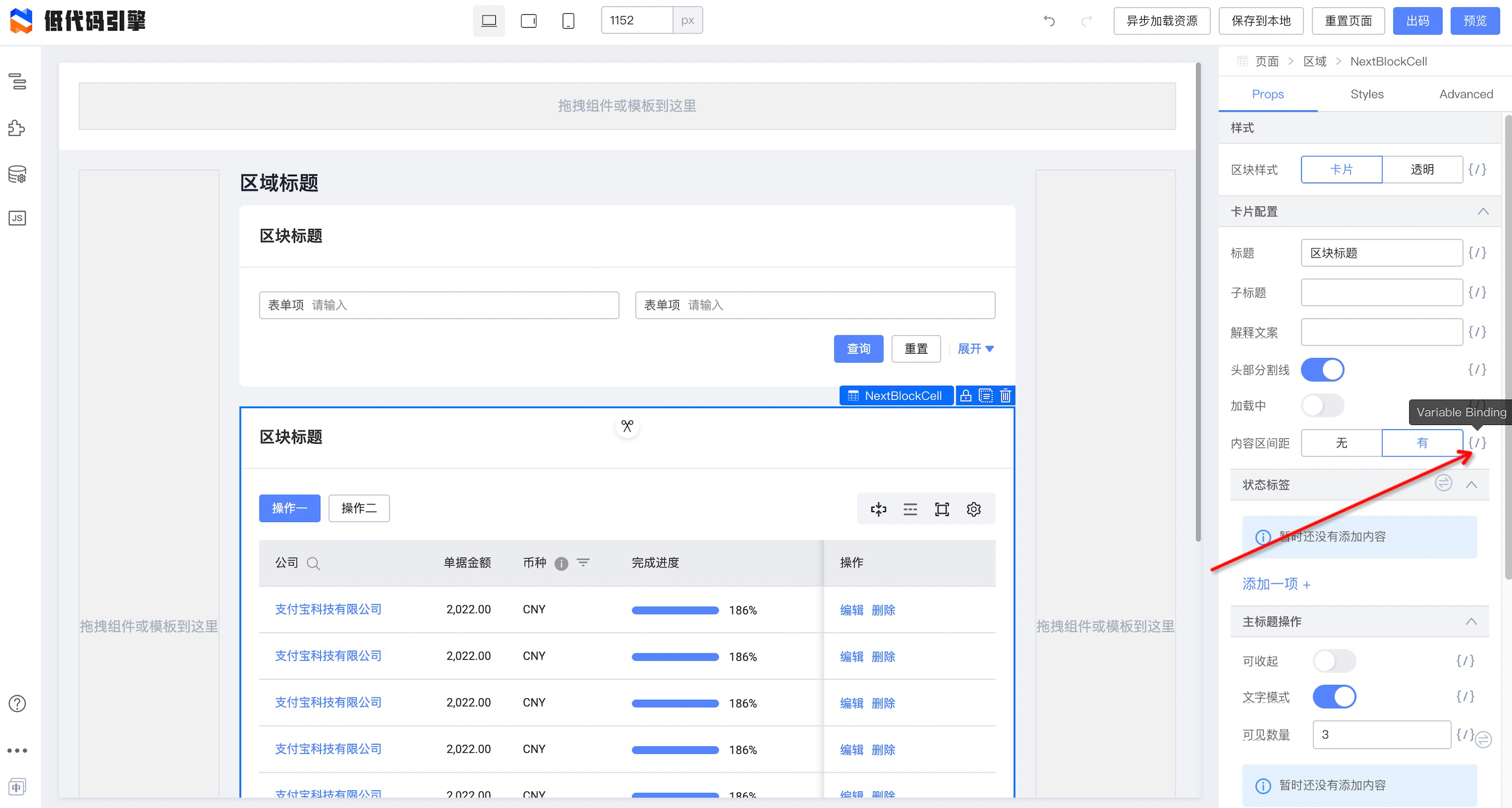
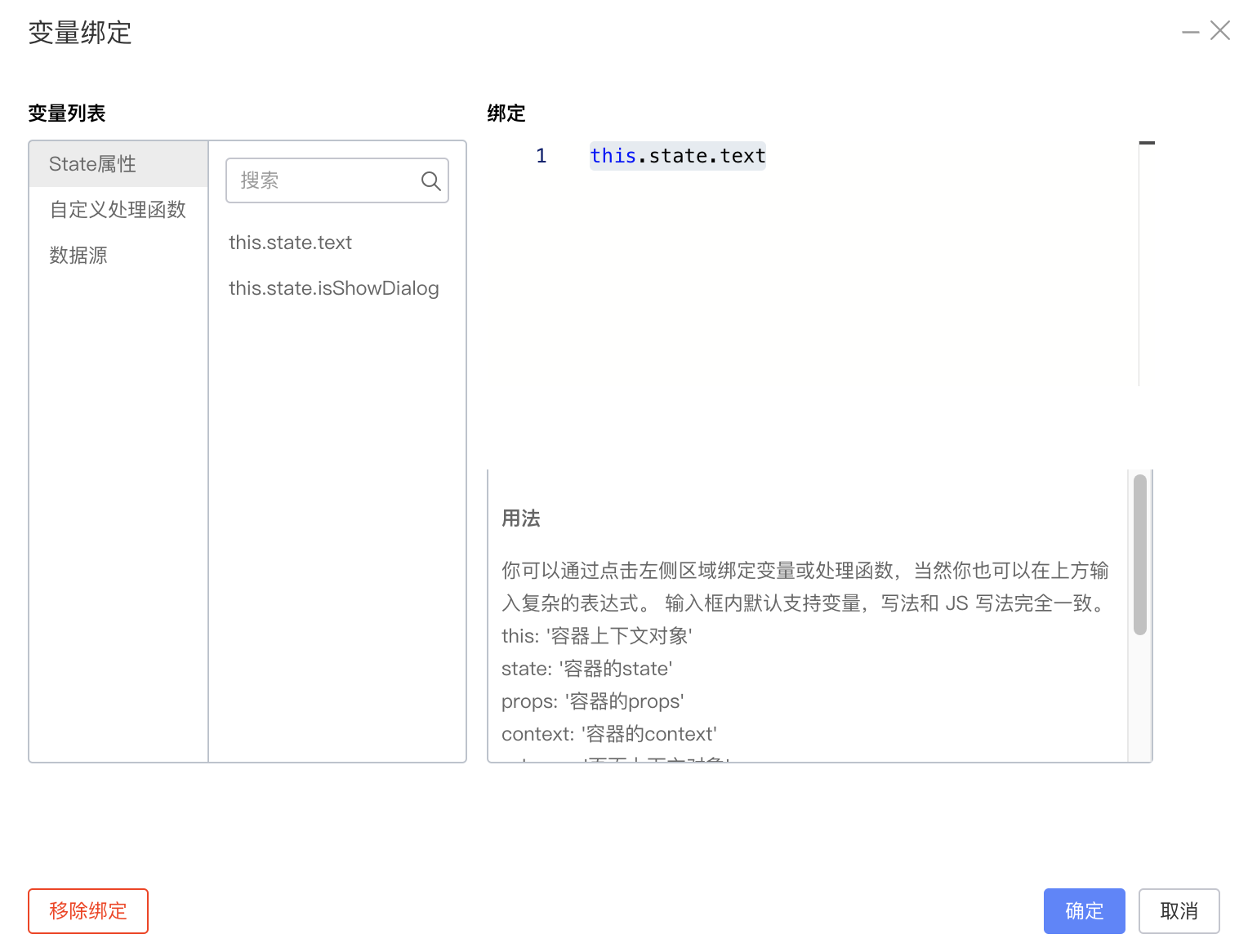
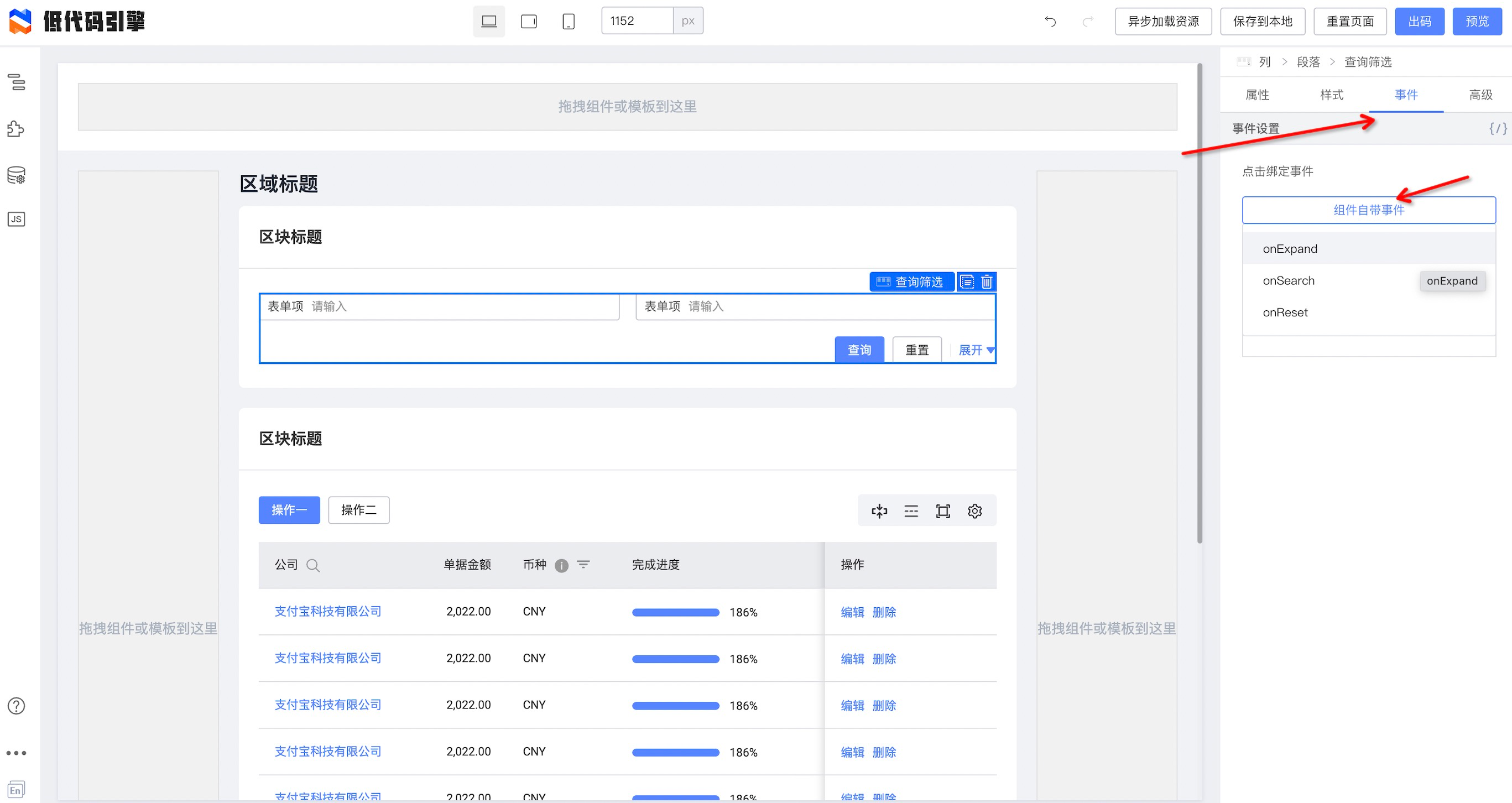
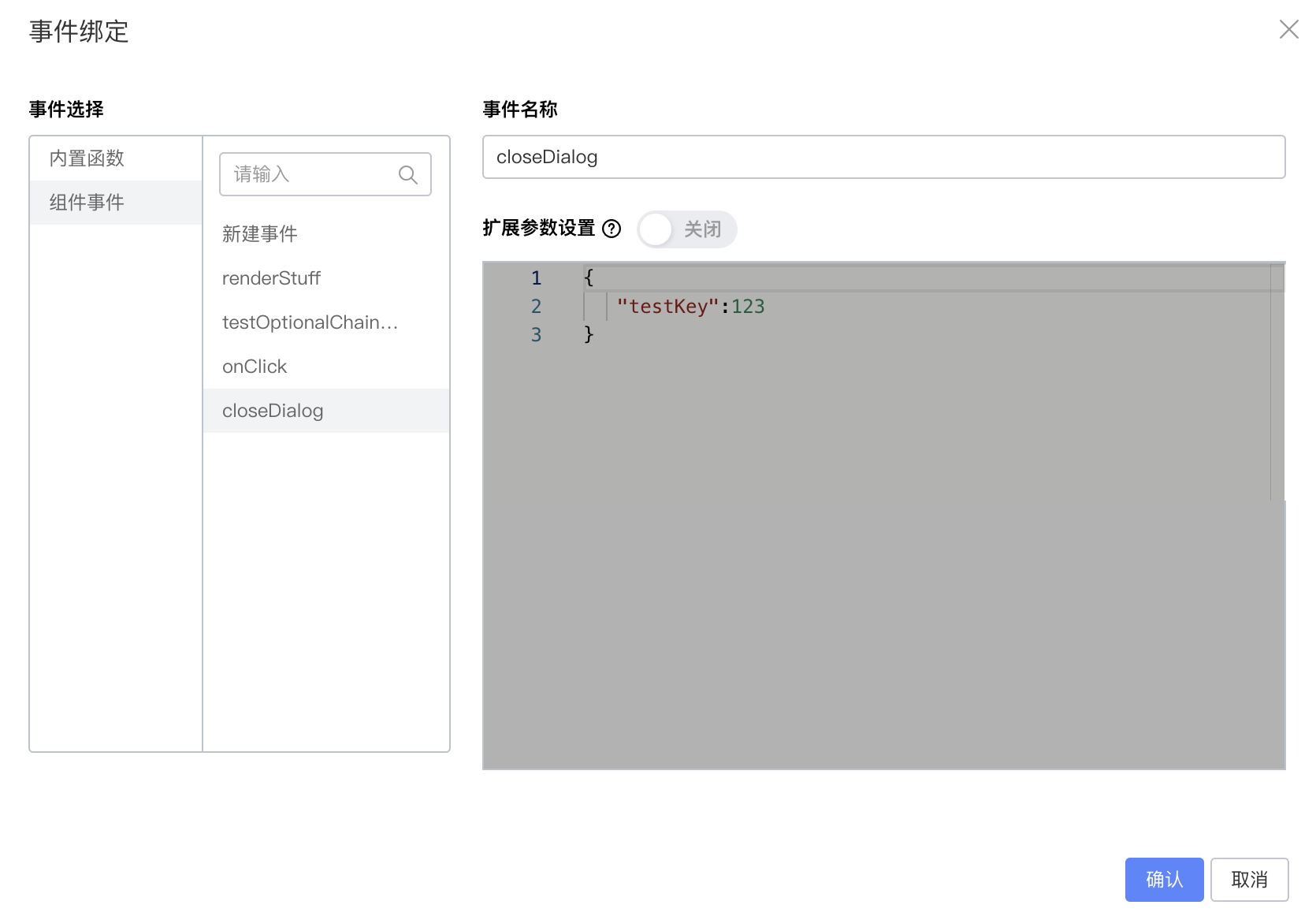
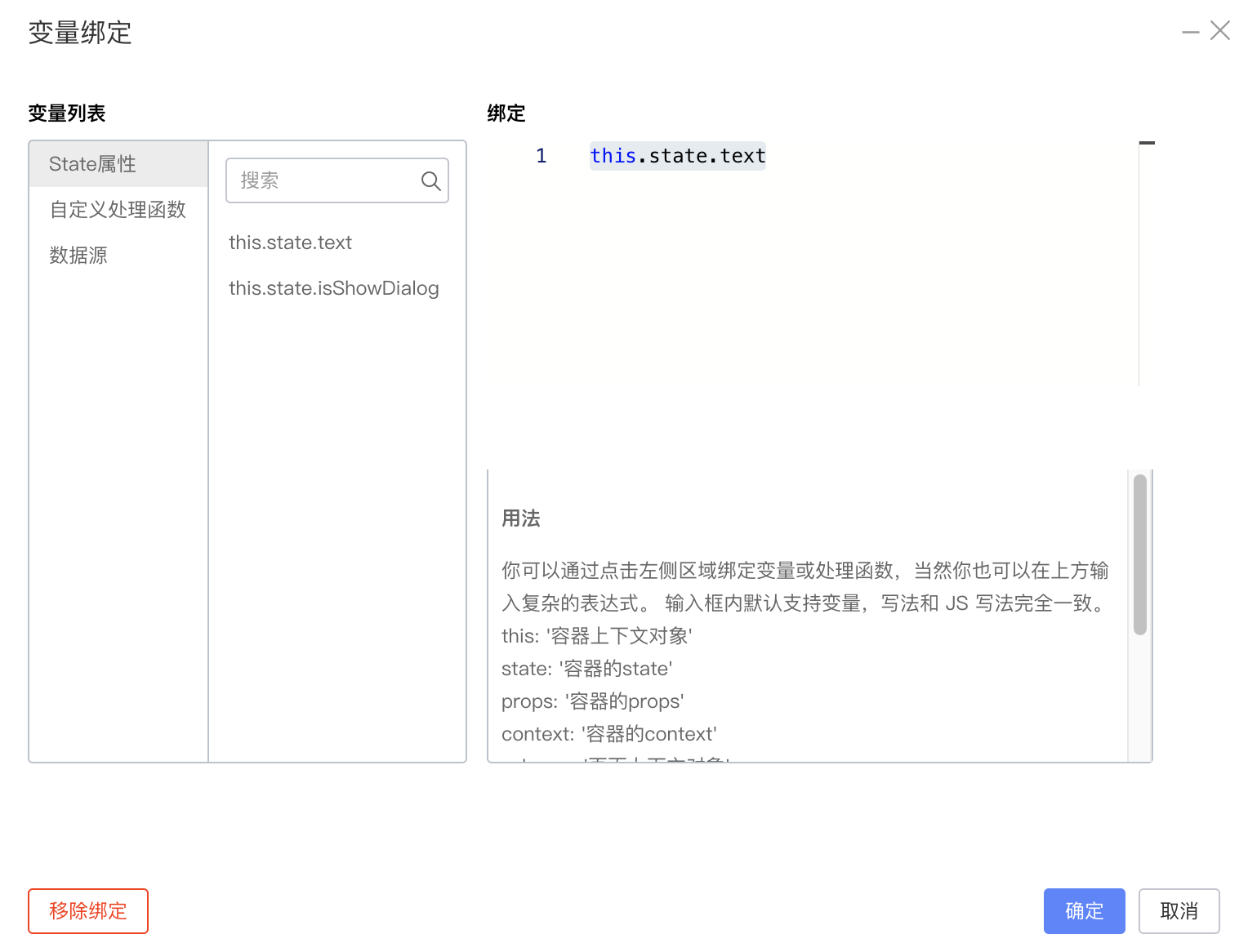
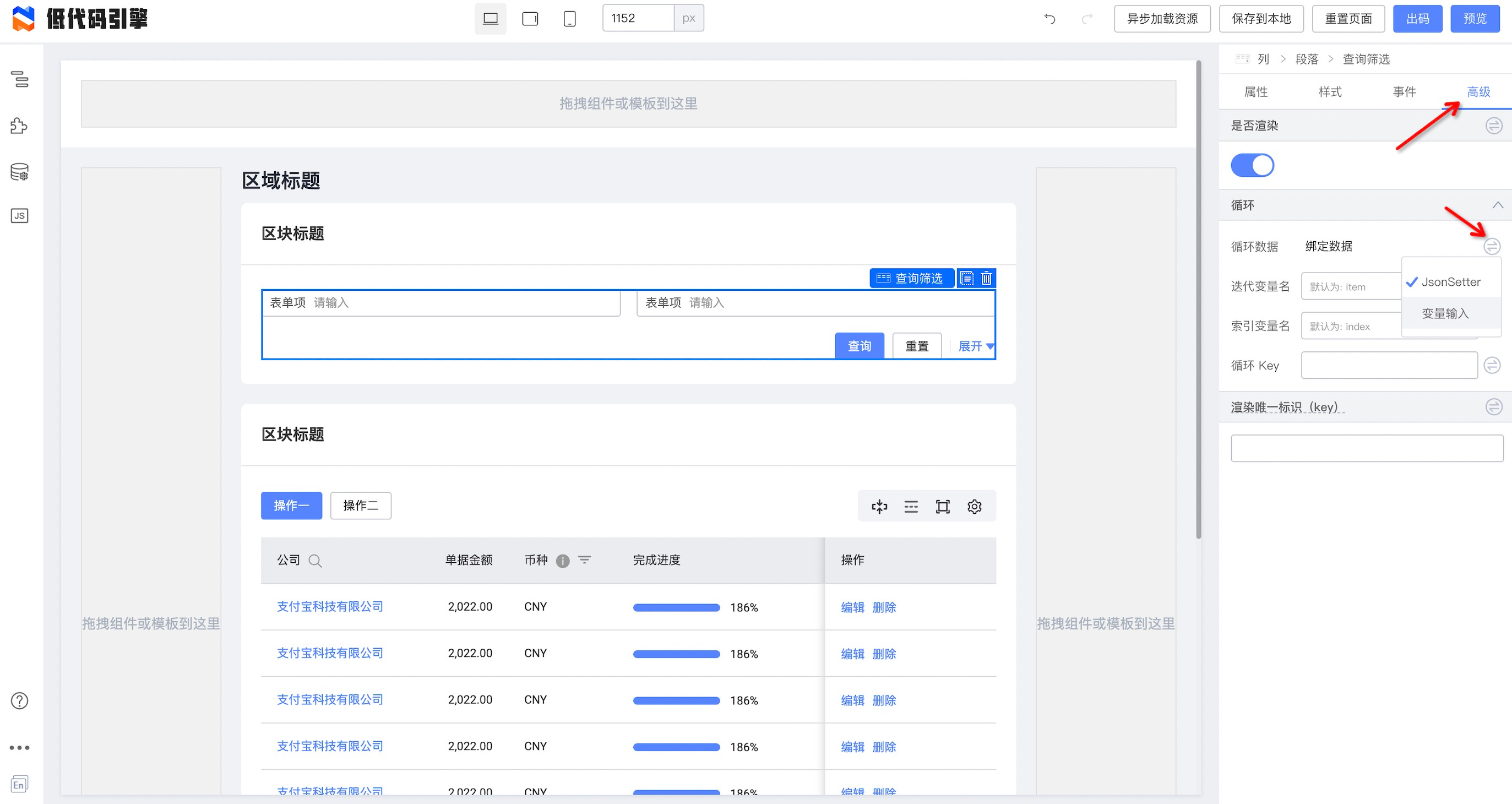
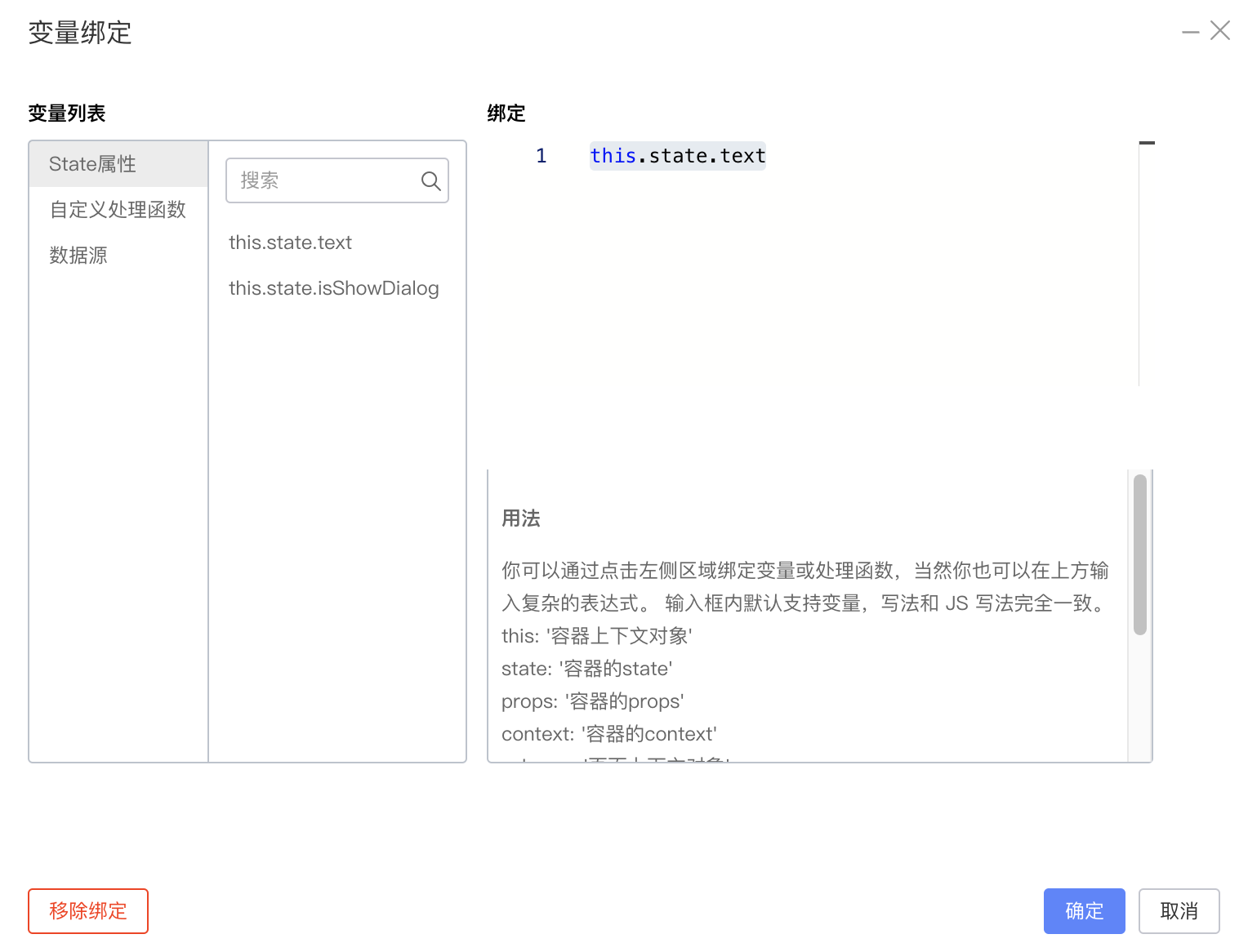
通常书写代码是为了对接低代码配置中的“变量绑定”、“事件回调”、“条件判断”和“循环”部分的。
|
||
|
||
#### 变量绑定
|
||
|
||
|
||
```json
|
||
{
|
||
"componentName": "NextBlockCell",
|
||
"id": "node_ockzmje8tf5",
|
||
"props": {
|
||
"bodyPadding": {
|
||
"type": "JSExpression",
|
||
"value": "this.state.text",
|
||
"mock": ""
|
||
}
|
||
}
|
||
}
|
||
```
|
||
|
||
|
||
#### 事件回调
|
||
|
||
|
||
```json
|
||
{
|
||
"componentName": "Filter",
|
||
"id": "node_ockzmj0cl11w",
|
||
"props": {
|
||
"__events": {
|
||
"eventDataList": [
|
||
{
|
||
"type": "componentEvent",
|
||
"name": "onSearch",
|
||
"relatedEventName": "closeDialog"
|
||
}
|
||
]
|
||
},
|
||
"onSearch": {
|
||
"type": "JSFunction",
|
||
"value": "function(){this.onSearch.apply(this,Array.prototype.slice.call(arguments).concat([])) }"
|
||
}
|
||
}
|
||
}
|
||
```
|
||
|
||
#### 条件判断
|
||

|
||
|
||
```json
|
||
{
|
||
"componentName": "Filter",
|
||
"id": "node_ockzmj0cl11w",
|
||
"condition": {
|
||
"type": "JSExpression",
|
||
"value": "this.state.text",
|
||
"mock": true
|
||
}
|
||
}
|
||
```
|
||
|
||
#### 循环
|
||
|
||
|
||
```json
|
||
{
|
||
"componentName": "Filter",
|
||
"id": "node_ockzmj0cl11w",
|
||
"loop": {
|
||
"type": "JSExpression",
|
||
"value": "this.state.text",
|
||
"mock": true
|
||
}
|
||
}
|
||
```
|