mirror of
https://github.com/alibaba/lowcode-engine.git
synced 2025-12-16 15:01:15 +00:00

45 lines
1.7 KiB
Markdown
45 lines
1.7 KiB
Markdown
---
|
||
title: Can't import the named export from non ECMAScript module
|
||
sidebar_position: 20
|
||
tags: [FAQ]
|
||
---
|
||
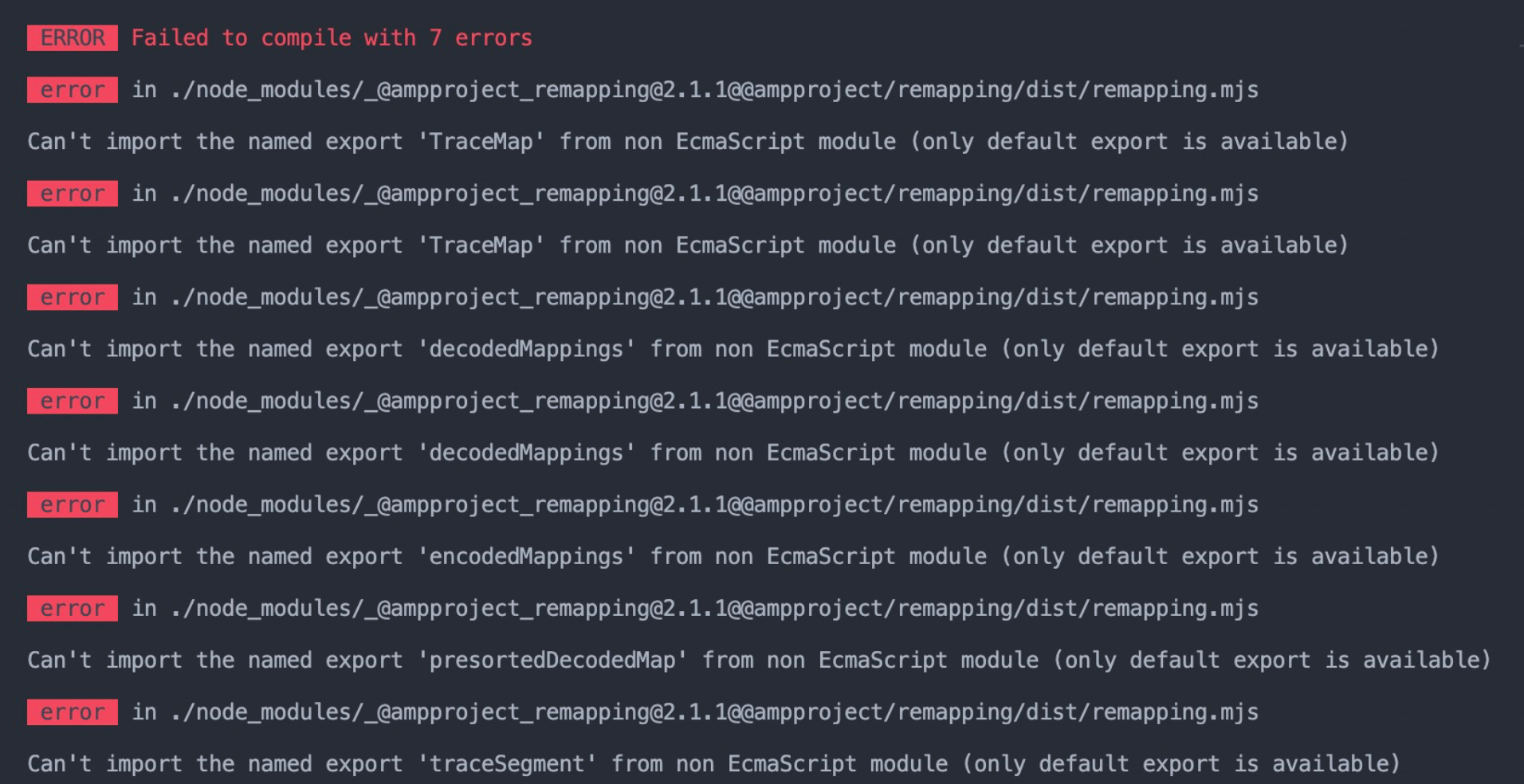
如果您是自己配置的引擎打包,那么可能会遇到这个问题。
|
||
|
||
|
||
|
||
问题的根源是 code-editor 插件运行时直接依赖了 babel 来完成 jsx 编译,babel 从 7.17.0 开始依赖了使用 ESM 编写的 @ampproject/remapping@2.1.0。如果打包工具无法正确处理 ESM,则可能报错。
|
||
|
||
解决方案 1:锁定 babel 版本
|
||
|
||
如果您使用了 yarn,那么可以在 package.json 中:
|
||
|
||
```typescript
|
||
"resolutions": {
|
||
"@babel/core": "~7.16.7",
|
||
"@babel/parser": "~7.16.7",
|
||
"@babel/preset-env": "~7.16.7",
|
||
"@babel/preset-react": "~7.16.7",
|
||
"@babel/standalone": "~7.16.7",
|
||
"@babel/traverse": "~7.16.7",
|
||
"@babel/types": "~7.16.7"
|
||
}
|
||
```
|
||
|
||
解决方案 2:编译层面配置。本例使用 build-script 配置,您可以用类似方法来配置您的 webpack:
|
||
|
||
```typescript
|
||
module.exports = ({ onGetWebpackConfig }) => {
|
||
// see: https://github.com/ice-lab/build-scripts#%E6%8F%92%E4%BB%B6%E5%BC%80%E5%8F%91
|
||
onGetWebpackConfig((config) => {
|
||
config.module // fixes https://github.com/graphql/graphql-js/issues/1272
|
||
.rule('mjs$')
|
||
.test(/\.mjs$/)
|
||
.include
|
||
.add(/node_modules/)
|
||
.end()
|
||
.type('javascript/auto');
|
||
return config;
|
||
});
|
||
};
|
||
```
|