 86aebd3429
* 🐛 Align WASM auto-width text size with HTML measurement

Include the HTML paragraph-set 1px right margin in Skia auto-width
so WASM and DOM measurements match.

* ⚡ Scope and defer post-font WASM text relayout

Track pending font faces per shape, force-relayout only affected
texts, defer stale-selrect sync until the first tiles paint, and
batch request-render after attr updates. Tolerate missing font-face
keys so callers that omit them do not blow up.
Penpot WASM render
This is the canvas-based WebAssembly render engine for Penpot.
Rust & Emscripten
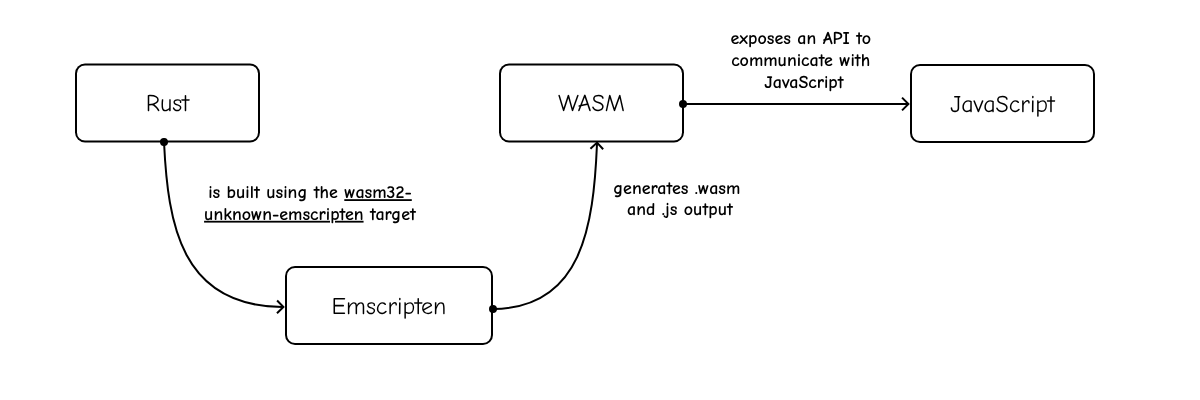
This project is a Rust crate that targets Emscripten (wasm32-unknown-emscripten).
We use wasm32-unknown-emscripten compilation target:
- It compiles Rust code into WASM
- It generates the JavaScript code (“glue”) to load and run the WASM code
Skia
We use Skia, an Open Source 2D graphics library. In particular, the render engine uses Skia via custom binaries of the rust-skia crate.
How to build
With the Penpot Development Environment running, create a new tab in the tmux.
cd penpot/render-wasm
./build
You can also use ./watch to run the build on every change.
The build script will compile the project and copy the .js and .wasm files to their correct location within the frontend app.
Render targets
The same Rust source produces two artifacts, which differ only in compiler options:
| Target | Tuned for | Cargo profile | Consumed by |
|---|---|---|---|
frontend |
speed | release (-O3) |
frontend/resources/public/js |
export |
size | size (-Oz) |
exporter/resources/wasm |
./build            # both targets, frontend first
./build frontend   # workspace / viewer renderer
./build export     # headless exporter renderer
./watch still follows a single target (frontend unless you pass one),
since watching both would rebuild twice on every keystroke.
Each target keeps its own CARGO_TARGET_DIR (target/<target>), so switching
between them does not invalidate the other's cache. Set BUILD_MODE=release
(or NODE_ENV=production) for an optimized build; the default is debug.
Each target writes its own generated shared.js (the enum discriminants the
CLJS side compiles against) next to the code that imports it — respectively
frontend/src/app/render_wasm/api/shared.js and
exporter/src/app/wasm/shared.js. Neither build writes to the other's paths.

Edit your local frontend/resources/public/js/config.js to add the following flags:
enable-feature-render-wasmto enable this render engine.enable-render-wasm-dpr(optional), to enable using the device pixel ratio.
How to test
We currently have two types of tests:
- Unit tests
cd penpot/render-wasm
./test